

Objective
Ensure an admin user can add modules to a configured instance and verify that users can access the new modules.Prerequisites
- You must have a valid admin account. If you do not have credentials, please request them from your system administrator.
- At least one instance must already exist.
Steps
- Log in to the Papyrus Vitrine Website App as an admin and go to the modules page: https://papyrus.hownee.com/app/modules
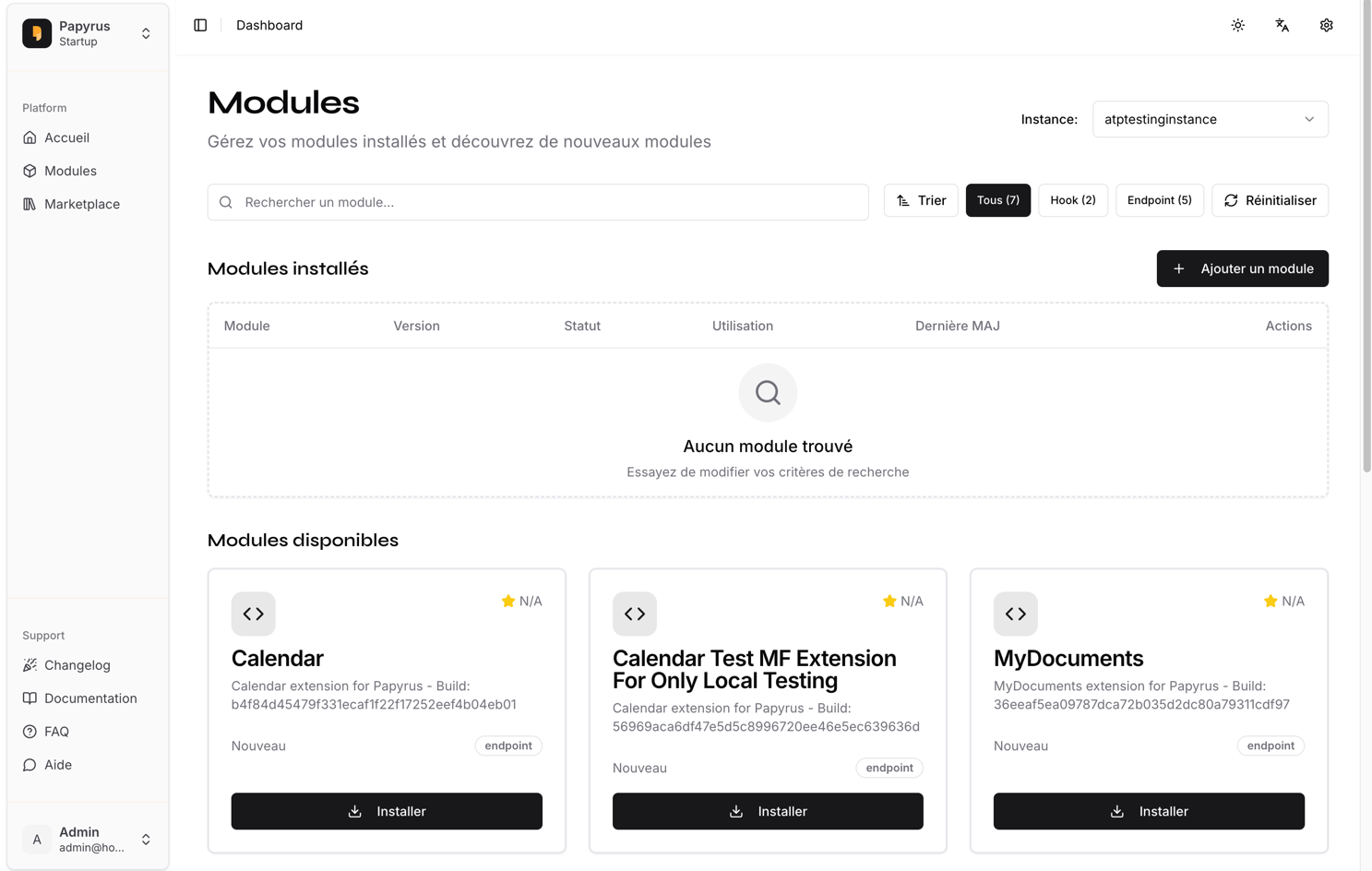
- Click the Add Module button or similar action. Select the modules you wish to add. Please specify the modules below:
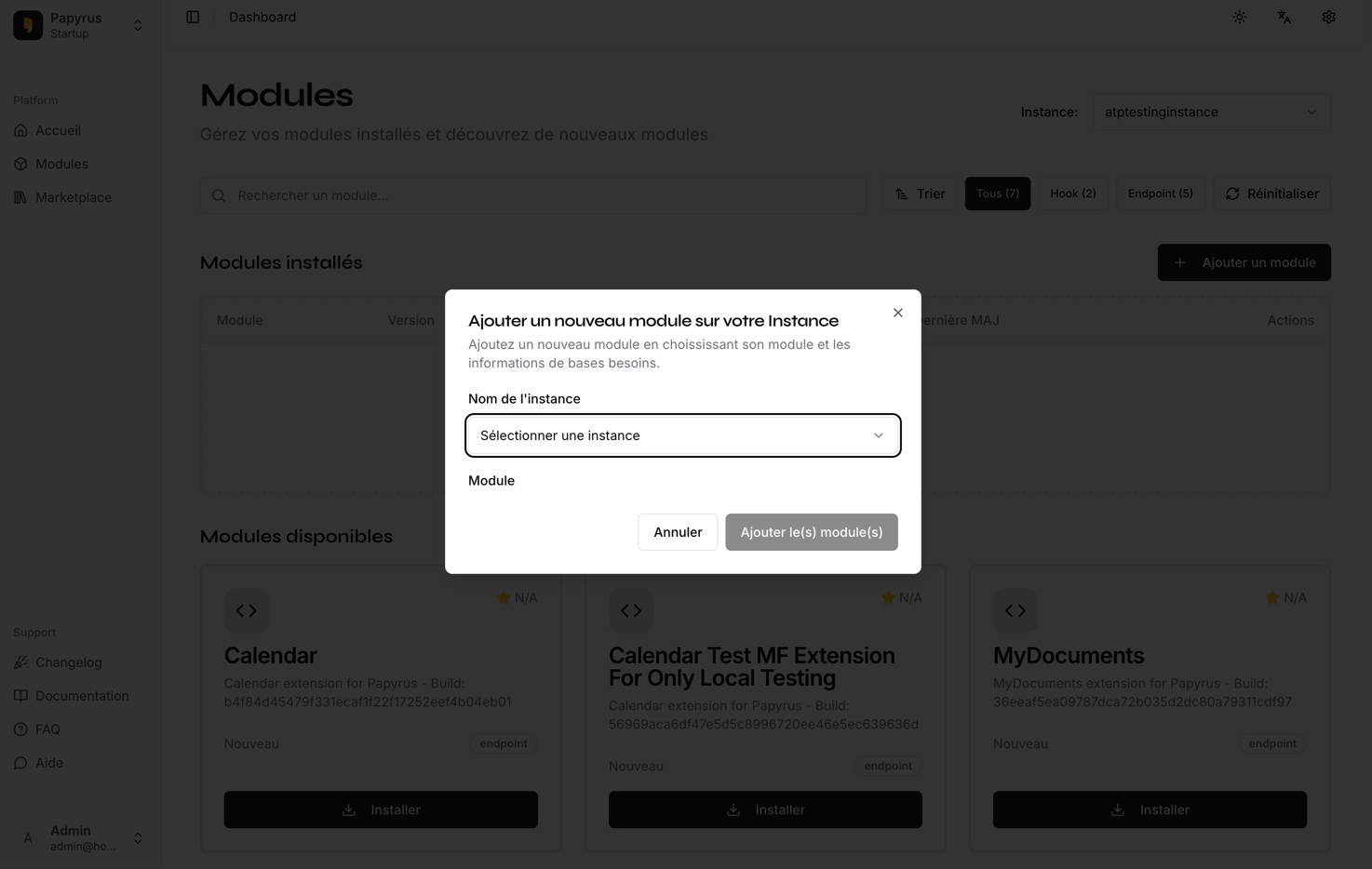
- Confirm and submit the addition. Wait for the system to process the changes.
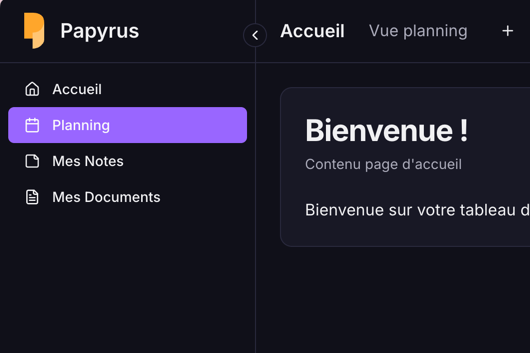
- Log in as a standard user and verify that the new modules are accessible in the instance app.
Expected Results
- The selected modules are added to the instance.
- Standard users can access and use the new modules.
- If the addition fails, an appropriate error message is displayed (please capture a screenshot if this occurs).
Tip: If you encounter any issues, please document the error message and steps taken, and attach screenshots or a video for troubleshooting.