

Objective
Ensure an admin user can create a new instance dynamically and verify its availability.Prerequisites
- You must have a valid admin account. If you do not have credentials, please request them from your system administrator.
Steps
-
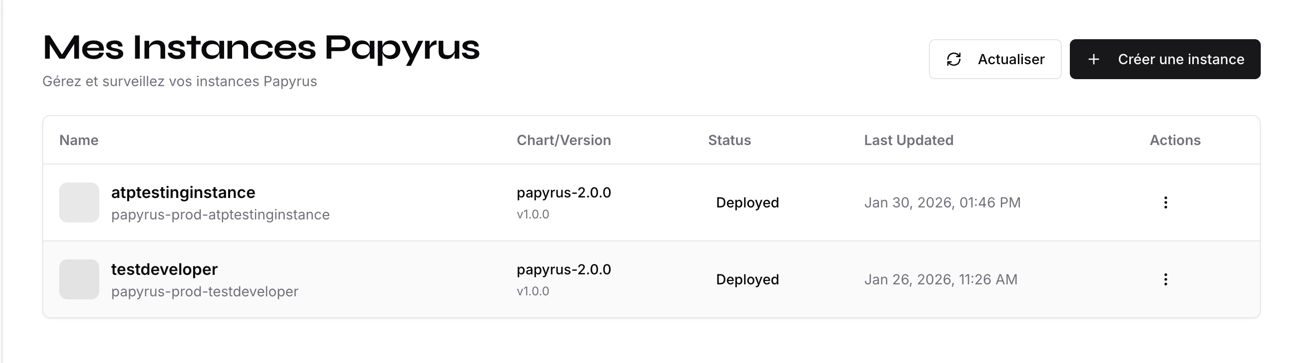
Log in to the Papyrus app as an admin and navigate to the home section with the instances list: https://papyrus.hownee.com/app/home
-
Click the Create Instance button or similar action to start the creation process.
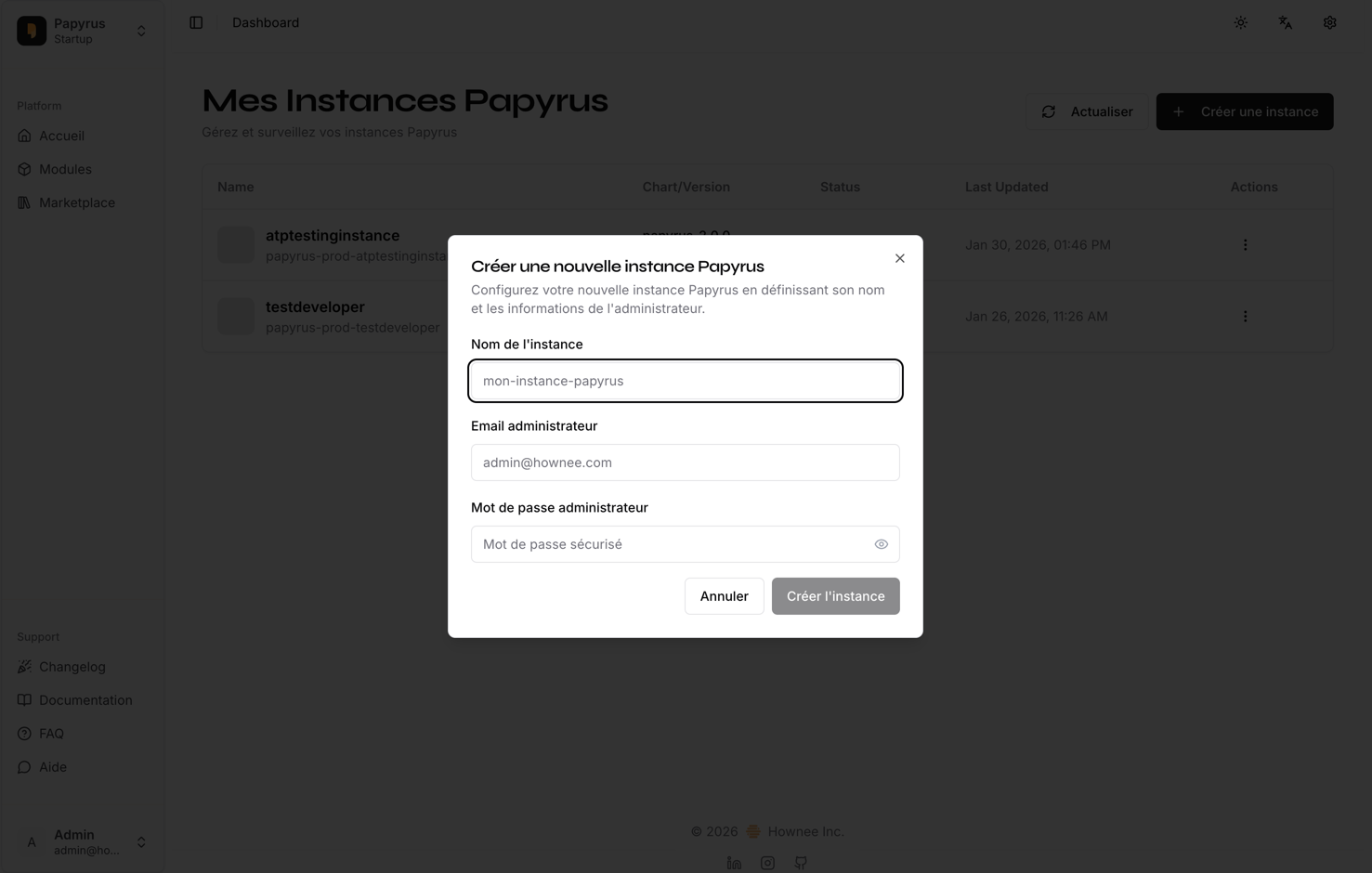
- Fill in the required details for the new instance (e.g., name, configuration). Please enter the details you used below:
- Confirm and submit the creation request. Note that this process may take up to 5 minutes.
-
Once the system responds, check that the new instance appears in the list and is accessible.
Expected Results
- The new instance is generated and appears in the list.
- The instance is accessible and functional.
- If creation fails, an appropriate error message is displayed (please capture a screenshot if this occurs).
Tip: If you encounter any issues, please document the error message and steps taken, and attach screenshots or a video for troubleshooting.